Anonymous

Not logged in

  • Log in
Dahua Wiki

Navigation

Manuals

  • Recorders
  • Cameras
  • Other
  • Accessories

Instructions

  • NVR
  • DVR
  • EVS
  • IP Camera
  • PTZ
  • LincX2PRO
  • Thermal
  • License Plate
  • Video Intercom
  • Access Control

Software

  • SmartPSS Lite
  • DMSS
  • DSS
  • ConfigTool

Tools

  • Upload file
  • Log in

Print/export

  • Create a book
  • Download as PDF
  • Printable version

Wiki tools

Wiki tools

  • Special pages
  • Browse properties

Page tools

Page tools

  • View source

More

  • What links here
  • Related changes
  • Permanent link
  • Page information
  • Page logs

Time Attendance/Products/ASA2212A

Namespaces

  • Page
  • Discussion

Page actions

  • View
  • History
  • More

Revision as of 22:19, 7 March 2018 by JP (talk | contribs) (→‎Instructions)

(diff) ← Older revision | Latest revision (diff) | Newer revision → (diff)

Contents

  • 1 Time Attendance
    • 1.1 Products
    • 1.2 Instructions
      • 1.2.1 Device Interface
      • 1.2.2 SmartPSS

Time Attendance

Products

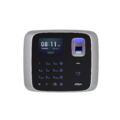
  • DHI-ASA2212A

Instructions

Device Interface

1. Establish Admin Credentials

2. Add User with PIN to Device

3. Add User with Fingerprint to Device

4. Add User with Access Card to Device

5. Update Device Firmware

6. Reset to Defaults

SmartPSS

1. Add ASA2212A to SmartPSS

2. Add User to Device

3. Setup Date & Time

4. Setup Time Zone

5. Setup Attendance Shift

6. Setup Holiday

7. Run a Report

Retrieved from "https://DahuaWiki.com/index.php?title=Time_Attendance/Products/ASA2212A&oldid=30923"
  • Powered by MediaWikiPowered by Semantic MediaWiki
  • Main Dahua Site
  • Dealer Portal
  • LearnDahua