Difference between revisions of "Video Intercom"
(→Outdoor Station) |
(→Indoor Monitor) |
||
| Line 132: | Line 132: | ||
===Indoor Monitor=== | ===Indoor Monitor=== | ||
{| class="wikitable" | {| class="wikitable" | ||
| − | | | + | !|Model |
| + | !|Image | ||
| + | !|Station Type | ||
| + | !|Description | ||
| + | !|Firmware | ||
|- | |- | ||
|[[Video_Intercom/Products/DHI_VTH1550CH|VTH1550CH]] | |[[Video_Intercom/Products/DHI_VTH1550CH|VTH1550CH]] | ||
| Line 144: | Line 148: | ||
*Video & Audio messaging | *Video & Audio messaging | ||
*Surface & Flush mounted | *Surface & Flush mounted | ||
| + | |[https://dahuawiki.com/images/Firmware/Video_Intercom/General_VTH151X_Eng_P_V4.000.0000.0.R.20180622.zip <ul class="fa-ul"> <li><i class="fas fa-arrow-alt-circle-down fa-4x" style="color:darkred;></i></li></ul>] | ||
|- | |- | ||
|[[Video_Intercom/Products/VTH1660CH|VTH1660CH]] | |[[Video_Intercom/Products/VTH1660CH|VTH1660CH]] | ||
| Line 159: | Line 164: | ||
*SD card inside | *SD card inside | ||
*Flush mounted | *Flush mounted | ||
| + | |[https://dahuawiki.com/images/Firmware/Video_Intercom/General_VTH151X_Eng_P_V4.000.0000.0.R.20180622.zip <ul class="fa-ul"> <li><i class="fas fa-arrow-alt-circle-down fa-4x" style="color:darkred;></i></li></ul>] | ||
|- | |- | ||
|[[Video_Intercom/Products/VTH1550CHW_2|VTH1550CHW-2]] | |[[Video_Intercom/Products/VTH1550CHW_2|VTH1550CHW-2]] | ||
| Line 169: | Line 175: | ||
*Micro SD card optional, max 32GB | *Micro SD card optional, max 32GB | ||
*Record & Snapshot (SD card needed) | *Record & Snapshot (SD card needed) | ||
| + | |[https://dahuawiki.com/images/Firmware/Video_Intercom/General_VTH1550CHW-2_Eng_P_V4.000.0000.0.R.20180622.zip <ul class="fa-ul"> <li><i class="fas fa-arrow-alt-circle-down fa-4x" style="color:darkred;></i></li></ul>] | ||
|- | |- | ||
|[[Video_Intercom/Products/DHI_VTH5221D|VTH5221D]] | |[[Video_Intercom/Products/DHI_VTH5221D|VTH5221D]] | ||
| Line 183: | Line 190: | ||
*Wi-Fi & POE | *Wi-Fi & POE | ||
*Surface mounted | *Surface mounted | ||
| + | |[https://dahuawiki.com/images/Firmware/Video_Intercom/General_VTH52X1D_Eng_P_V3.000.0012000.0.R.20180731.zip <ul class="fa-ul"> <li><i class="fas fa-arrow-alt-circle-down fa-4x" style="color:darkred;></i></li></ul>] | ||
|- | |- | ||
|[[Video_Intercom/Products/DHI_VTH5221DW|DHI-VTH5221DW]] | |[[Video_Intercom/Products/DHI_VTH5221DW|DHI-VTH5221DW]] | ||
| Line 197: | Line 205: | ||
*WiFi-enabled and PoE Power Supply | *WiFi-enabled and PoE Power Supply | ||
*Surface-mounted | *Surface-mounted | ||
| + | |[https://dahuawiki.com/images/Firmware/Video_Intercom/General_VTH52X1D_Eng_P_V3.000.0012000.0.R.20180731.zip <ul class="fa-ul"> <li><i class="fas fa-arrow-alt-circle-down fa-4x" style="color:darkred;></i></li></ul>] | ||
|} | |} | ||
| + | |||
===Accessories=== | ===Accessories=== | ||
{| class="wikitable" | {| class="wikitable" | ||
Revision as of 18:17, 5 November 2018
Contents
Video Intercom
About Video Intercom
Device Configuration Page: In homepage, long press Settings for 6 seconds. Device pops up Password Verification box.
Password Info
Default password for these devices is one of the following:
- 002236
- 888888
- 123456
- User password initially is 123456.
- Unlock password initially is null.
- Arm password initially is 123456.
- Disarm password initially is 123456.
- Anti-hijack password initially is 654321.
PDF Manuals
Instructions
VTH: Indoor Monitor
- How To Add A VTH1550CH To a VTO1210C-X
- How To Add A VTO2111D-WP To a VTH5221D
- How To Add A Second VTH1550CH To a VTO2111D-WP
- How To Add A Second VTH1660CH To a VTO1210C-X
Villa Station vs. Modularize Villa vs. Apartment
Villa System

Video communication between indoor monitor and outdoor station:
- Indoor monitor monitors the outdoor station, and supports remote door releasing
- Hand free communication, 7-inch TFT LCD touch screen for your free choice
- Store the visitor’s picture and audio message automatically
- Integrate IP camera and SIP Phone
- Compatible to up to 8 security sensors( burglar, fire, gas leakage, etc)
- Emergency button to call the service center
- Remote control by PC clients or cell phone terminal
- Support the free communication with other sub-indoor monitors in the same house
- Villa VTO only supports to add 1 VTH. Any new VTH will replace current VTH.
Apartment System

Adopt TCP/IP network standard protocol
- Support no number limit for indoor monitor
- Integrate IP camera and SIP Phone
- Support the free communication with other residents in the same community
- Easy to realize the video communication, remote unlock, message service, and remote control functions, etc
Outdoor Station
| Model | Image | Station Type | Description | Firmware |
|---|---|---|---|---|
| VTO1210C-X | 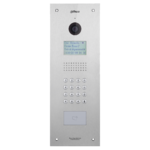
|
Apartment Outdoor Station |
|
|
| VTO1210B-X | 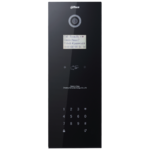
|
Apartment Outdoor Station |
|
|
| VTO1220BW | 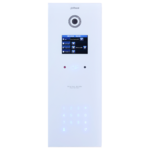
|
Apartment Outdoor Station |
|
|
| VTO2000A | 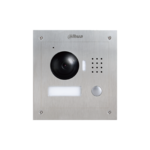
|
Villa Outdoor Station |
|
|
| VTO2000A-2 |
|
2wire Villa Outdoor Station |
|
|
| VTO2111D-WP | 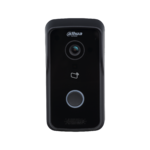
|
Wireless Outdoor Station |
|
Indoor Monitor
| Model | Image | Station Type | Description | Firmware |
|---|---|---|---|---|
| VTH1550CH | 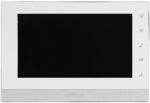
|
Apartment Outdoor Station |
|
|
| VTH1660CH | 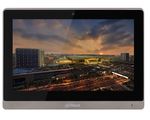
|
IP Indoor Monitor 10 inch |
|
|
| VTH1550CHW-2 |
|
2wire IP Indoor Monitor 7 inch |
|
|
| VTH5221D | 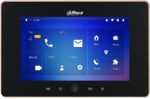
|
Wireless indoor monitor 7-inch- Black |
|
|
| DHI-VTH5221DW | 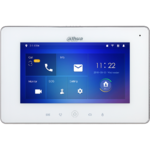
|
Wireless indoor monitor 7-inch- Black |
|
Accessories
| VTNS1060A | 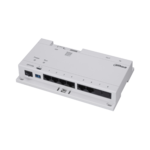
|
Network Power Supply for IP System |
|
| VTNC3000A | 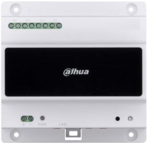
|
2-Wire Network Controller |
|
| PFM321D-US | Power Supply |
| |
| PFM320D-US | Power Supply |
| |
| VTOB108 | 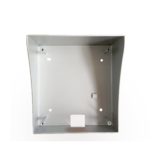
|
Surface Mounted Box for VTO2000A |
|
| VTOB107 | 
|
Flush Mounted Box for VTO2000A |
|
| VTOB110 | 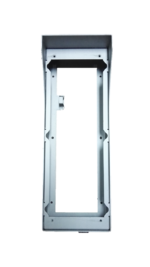
|
Surface Mounted Box for VTO1210C-X |
|
| VTOB103 | 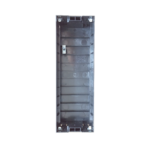
|
Flush Mounted Box for VTO1210C-X |
|

